Last updated: Feb 2026
Source: Lineage Classic official website
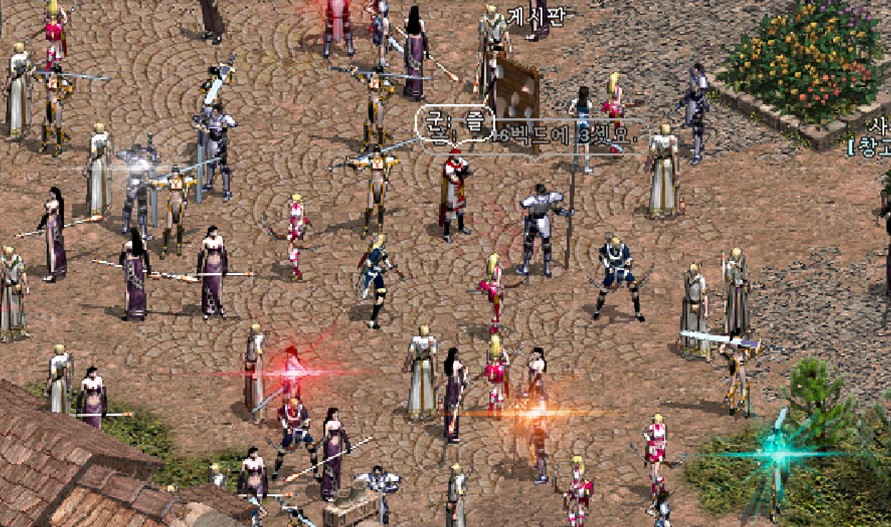
Released on February 7, 2026, Lineage Classic is not just a remaster; it is a faithful recreation of the game’s peak era. NCSoft has focused on restoring the “hardcore” essence that defined the genre before the advent of modern “hand-holding” mechanics.
Key Features at Launch:
- The Original Four Classes: Players can choose between the Monarch (essential for creating clans), Knight, Elf, and Wizard.
- Iconic Map Locations: The initial service includes beloved zones like Talking Island, Dragon Valley, and Giran.
- Old-School Difficulty: Experience a slower, more rewarding progression system where every level and piece of gear is a badge of honor.
- Subscription Model: Moving away from heavy “Pay-to-Win” cash shops, the game adopts a monthly subscription model (approx. 29,700 KRW or $22 USD) starting February 11, after the initial free-to-play launch period.
System Requirements: Will It Run on Your PC?
One of the best things about Lineage Classic is that it retains its accessible technical spirit. You don’t need a high-end NASA computer to enjoy it. In fact, it’s designed to run smoothly on most modern laptops and even older desktop builds.
Minimum Requirements
| Component | Specification |
| OS | Windows 10 (64-bit) |
| CPU | Intel Core 2 Duo 6300 or equivalent |
| RAM | 4 GB |
| GPU | NVIDIA GeForce 7600 GT / ATI Radeon X1800 |
| DirectX | Version 9.0c |
| Storage | 30 GB available space |
Recommended Requirements
| Component | Specification |
| OS | Windows 10 / 11 (64-bit) |
| CPU | Intel Core i3 or higher |
| RAM | 8 GB |
| GPU | NVIDIA GeForce GTX 960 or higher |
| Storage | SSD with 40 GB+ available space |
How to Play Lineage Classic (Step-by-Step)
Since the game is currently restricted to the Korean and Taiwanese markets, international players face a few hurdles. Here is the current most effective way to access the game:
1. Download the PURPLE Launcher
NCSoft uses its proprietary platform called PURPLE.
- Visit the official NCSoft PURPLE website.
- Download and install the launcher.
2. Account Creation & Region Selection
- The Korean Version: This requires a verified Korean phone number (KSSN verification), which is very difficult for foreigners to obtain.
- The Taiwan Version (Recommended): Most international players find it easier to register an account set to the Taiwan region. While it may require a VPN for the initial setup, the verification process is generally more accessible.
3. Use a Gaming VPN
To reduce “lag” and bypass regional IP blocks, a gaming VPN is highly recommended. Set your location to Seoul or Taipei depending on which server you choose.
4. Subscription and Payments
After the free trial period (ending Feb 10), you will need to purchase a Pass. If you are playing from outside Korea, you may need to use third-party “gift card” services or international payment methods compatible with the region.
Latest News and Community Reception
The launch has been a massive success so far. Within the first 48 hours, Lineage Classic reached over 180,000 simultaneous users and claimed the 4th spot in PC bang (internet cafe) popularity rankings in Korea.
NCSoft has already begun responding to feedback, increasing monster spawn rates in popular hunting grounds like the “Talking Island Dungeon” to accommodate the massive influx of players. While a Western release hasn’t been officially announced, the high demand has sparked rumors that a global version could be considered later in 2026.
Pro Tip: If you’re playing the classic version, remember that death has consequences! Losing XP and items upon death is part of the thrill—so always carry enough “Meat Sticks” and stay close to your Blood Pledge (clan) members.
Written By GGNoPay Team